Three themes
Light in navy and copper, Dark, and Graphite for Pro.
November · All accounts
$2,480.50
Income$4,200.00Spending$1,719.50
Navy and copper
Income and spending across every account, debts person by person, and the notes and lists that go with them. Calm, quick, and it works without signal.
Keeps track of
The tour
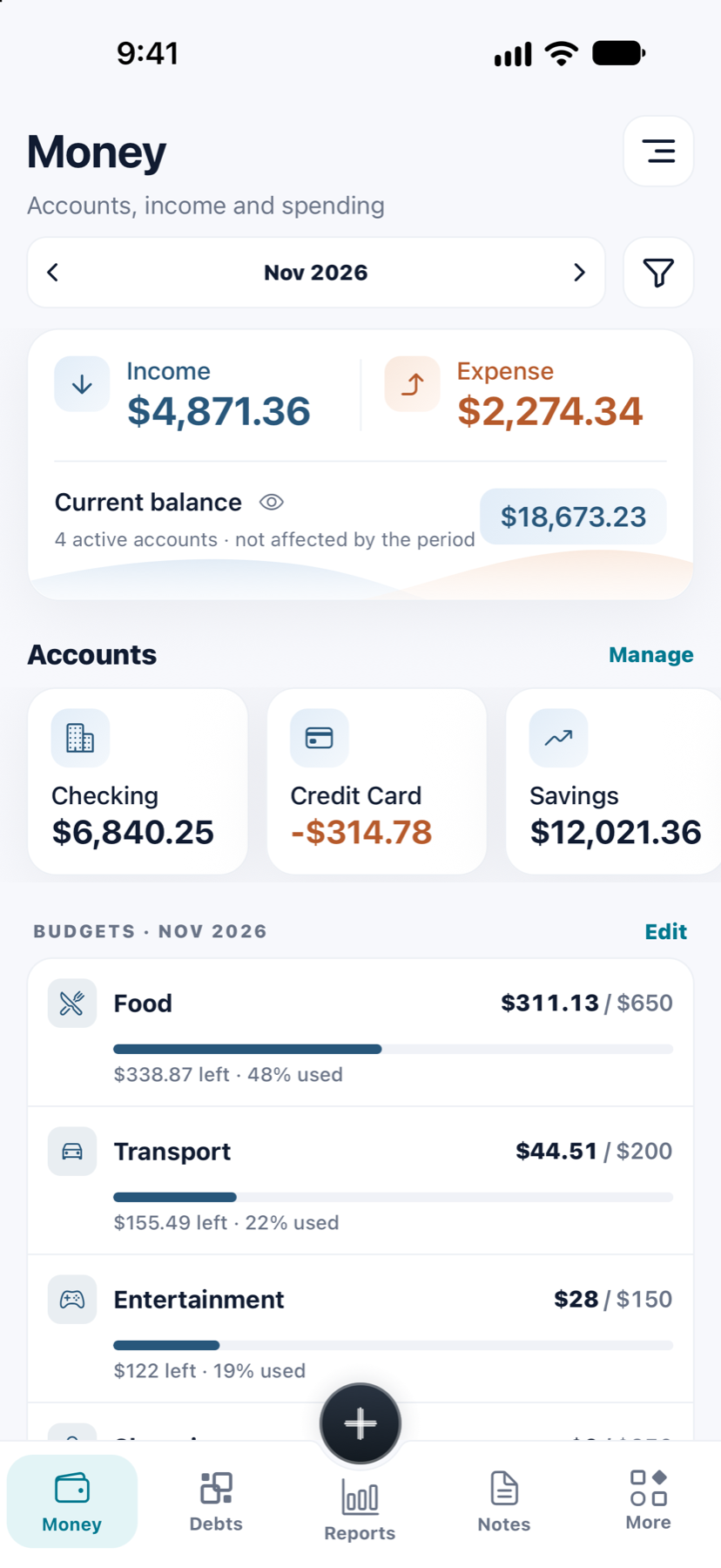
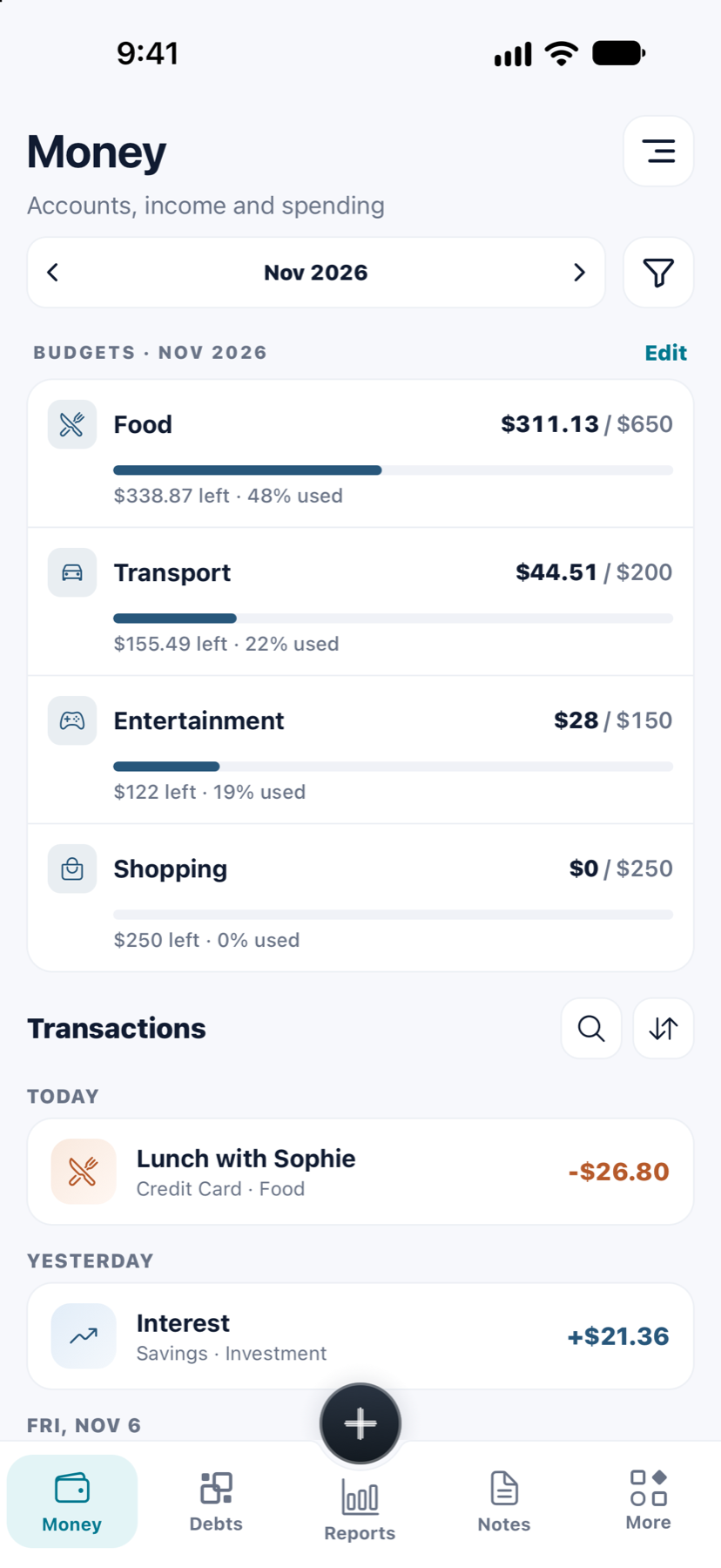
Money, Reports, Debts and Notes, each a tab away. Add an expense in seconds; see the month in a glance.
01 / 06
Record income and expenses in a few taps: only the amount is needed. Keep cash, your bank and your cards apart, step back through the months, and filter by type, account or category.
Debts
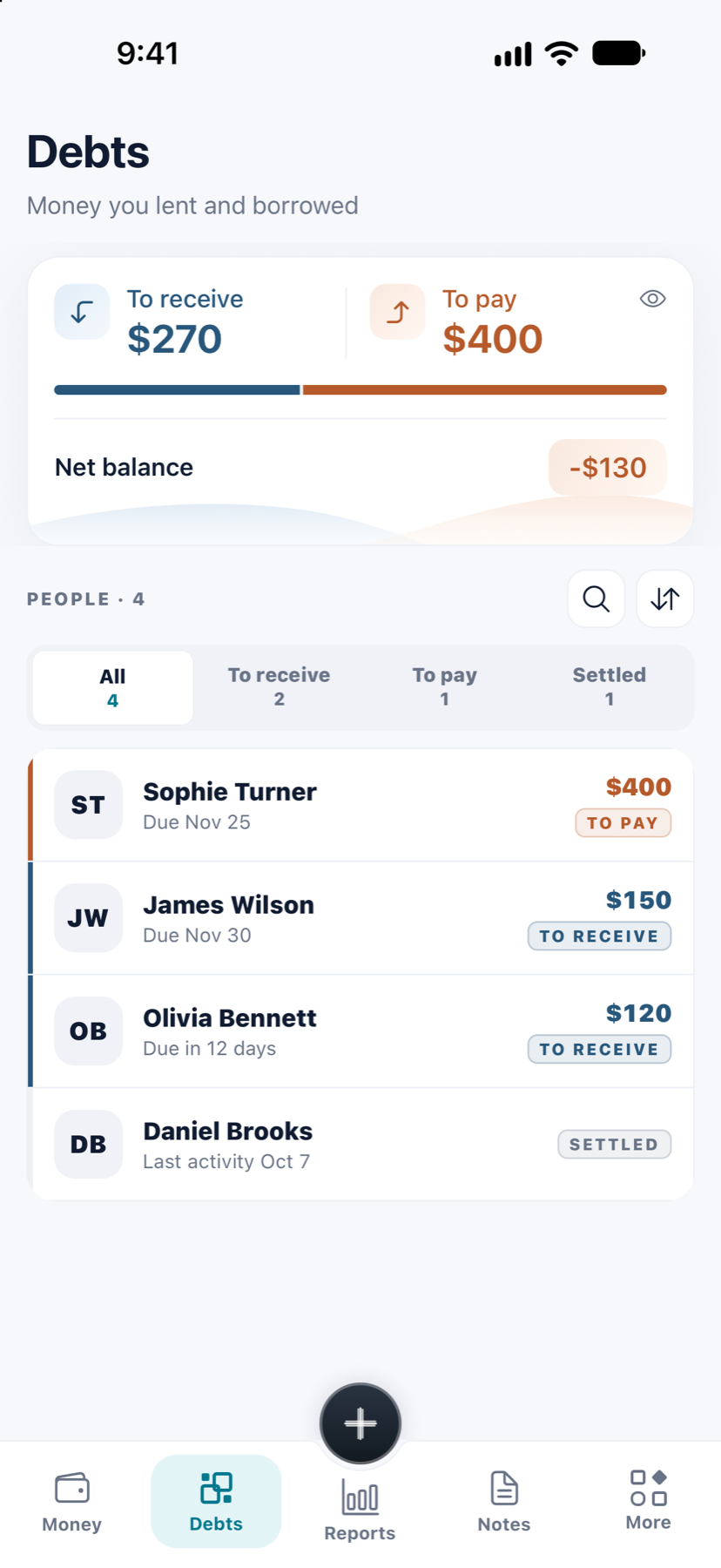
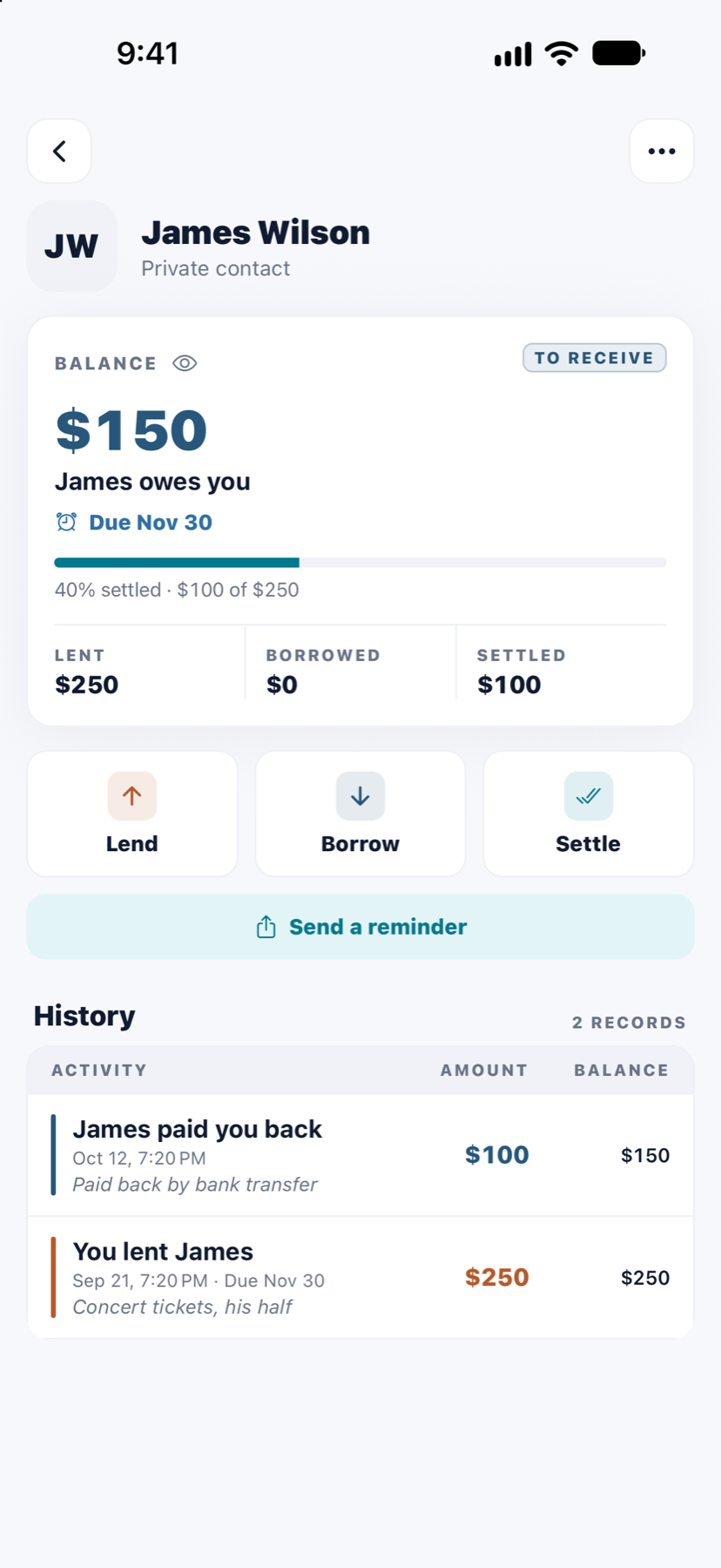
The taxi you paid for, the deposit you covered, the loan from your sister. Each person keeps one balance, with every entry behind it.
To receive
$120
Due Friday, Nov 14
Try it
Each entry moves the balance one way or the other. Finlivo keeps the sum, shows the history behind it, and knows when a payment is overdue.
A name is enough. Add a phone or email to call or remind them from the app.
With a note and a due date if you like. Part payments are fine; the balance after each one is kept.
One tap clears the full balance. Settled people move out of the way, their history kept.
Notes
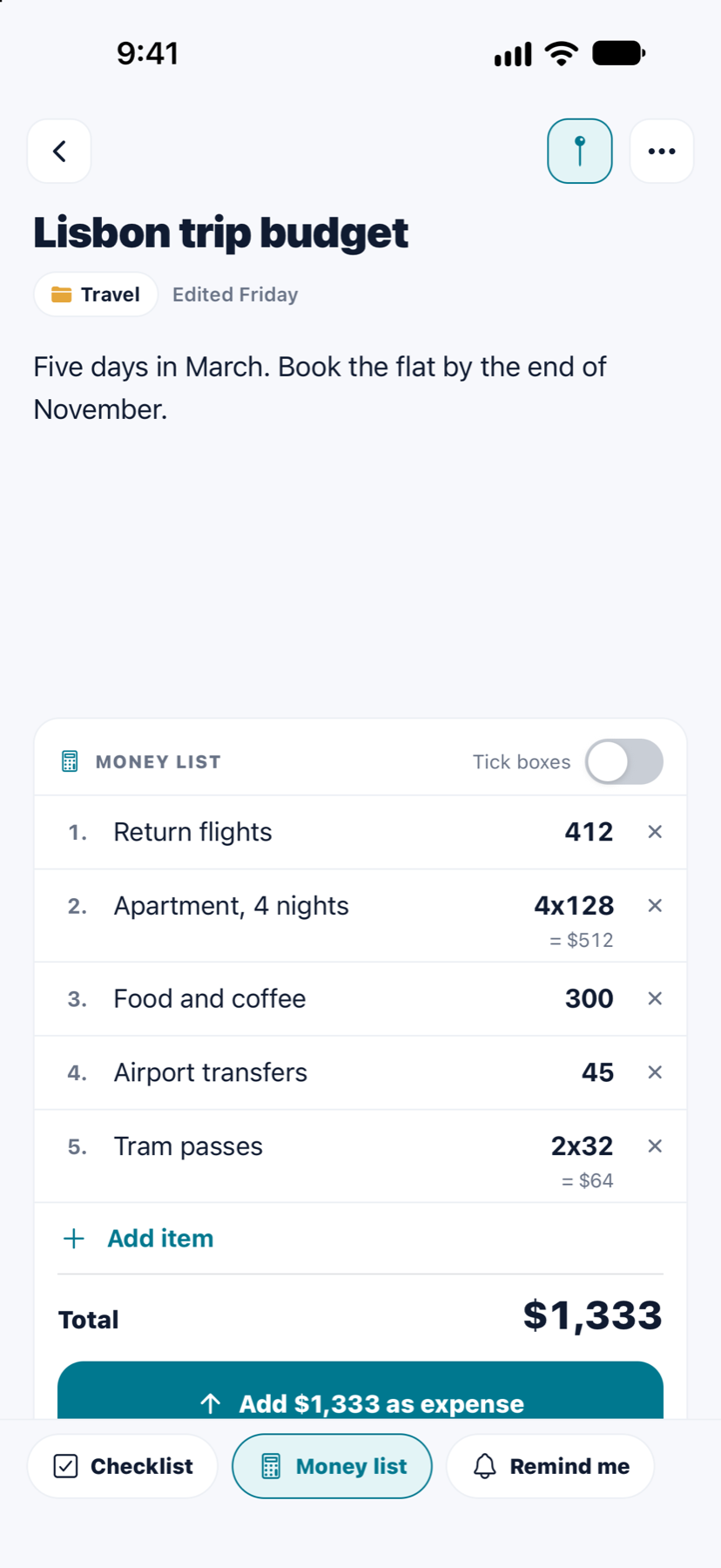
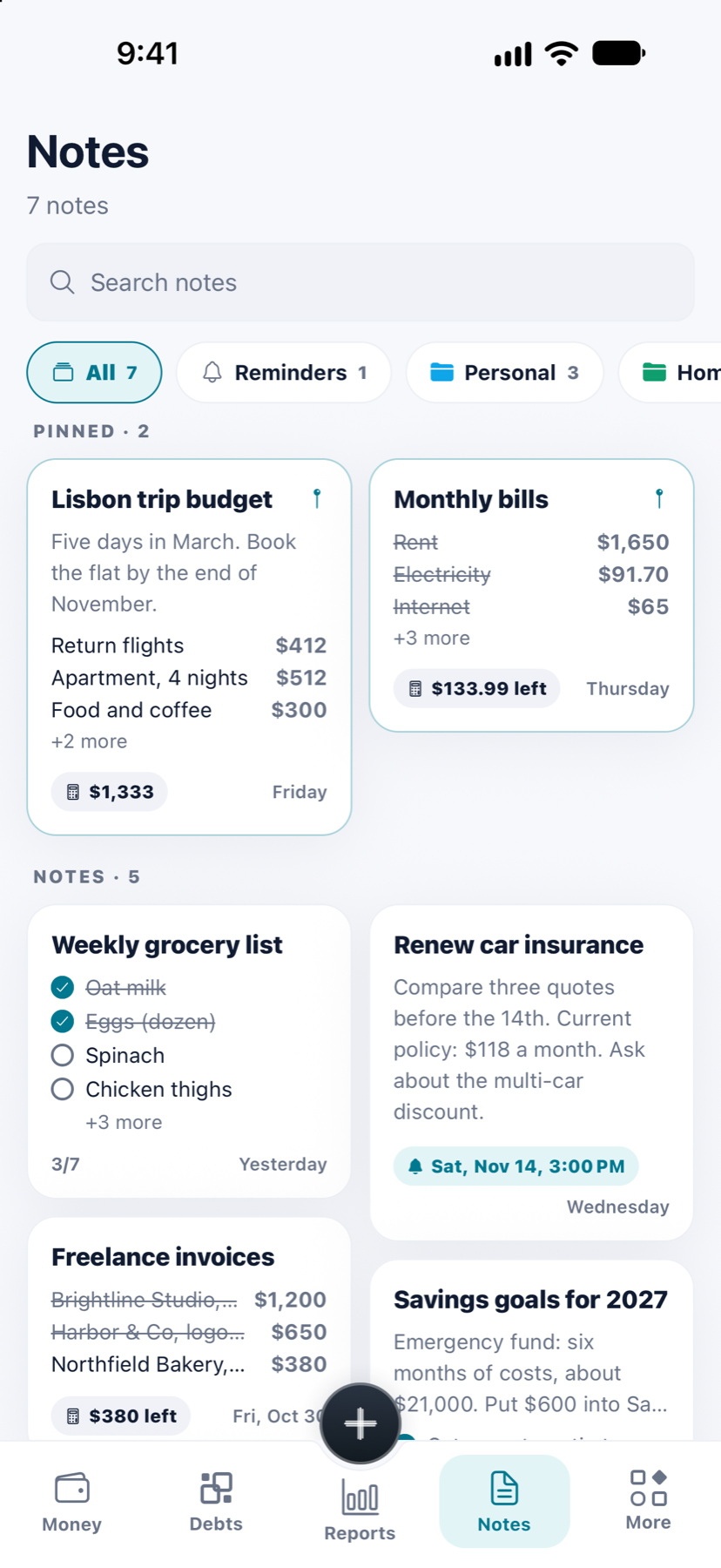
Notes in Finlivo know about money. Put prices next to the items and the note keeps the total. Tick what you bought, tap once, and it’s an expense in Money.
Made to fit
Light in navy and copper, Dark, and Graphite for Pro.
November · All accounts
$2,480.50
Navy and copper
With the currency you use.
Net balance
$2,480
Saved on your phone at once, synced in the background, on every phone you sign in on.
Privacy
Your money is nobody’s business but yours. Finlivo is built so it stays that way.
No bank logins, no card numbers, no moving money. Finlivo keeps records; you stay in charge.
The copy that lets Finlivo work offline is encrypted with your phone’s own key. Your sign-in sits in its secure storage.
Ask for your face, fingerprint or phone PIN every time Finlivo opens. Lock single notes too.
Deleted transactions, people and notes wait in Trash. Restore them, or delete them for good.
No advertising or tracking services. Your data is never sold, and nobody else can see it.
Export your transactions or share a report as a PDF. Delete your whole account from the app at any time.
Screens
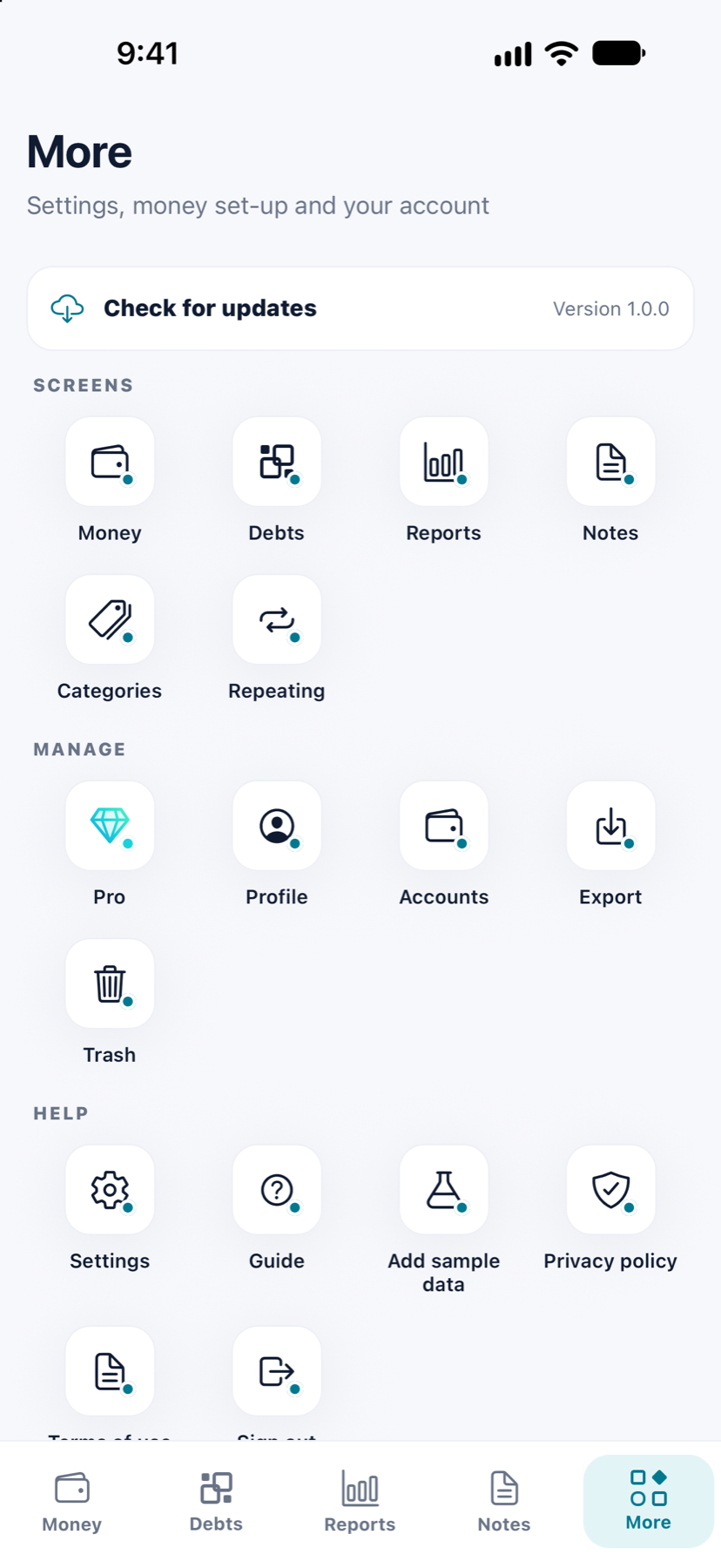
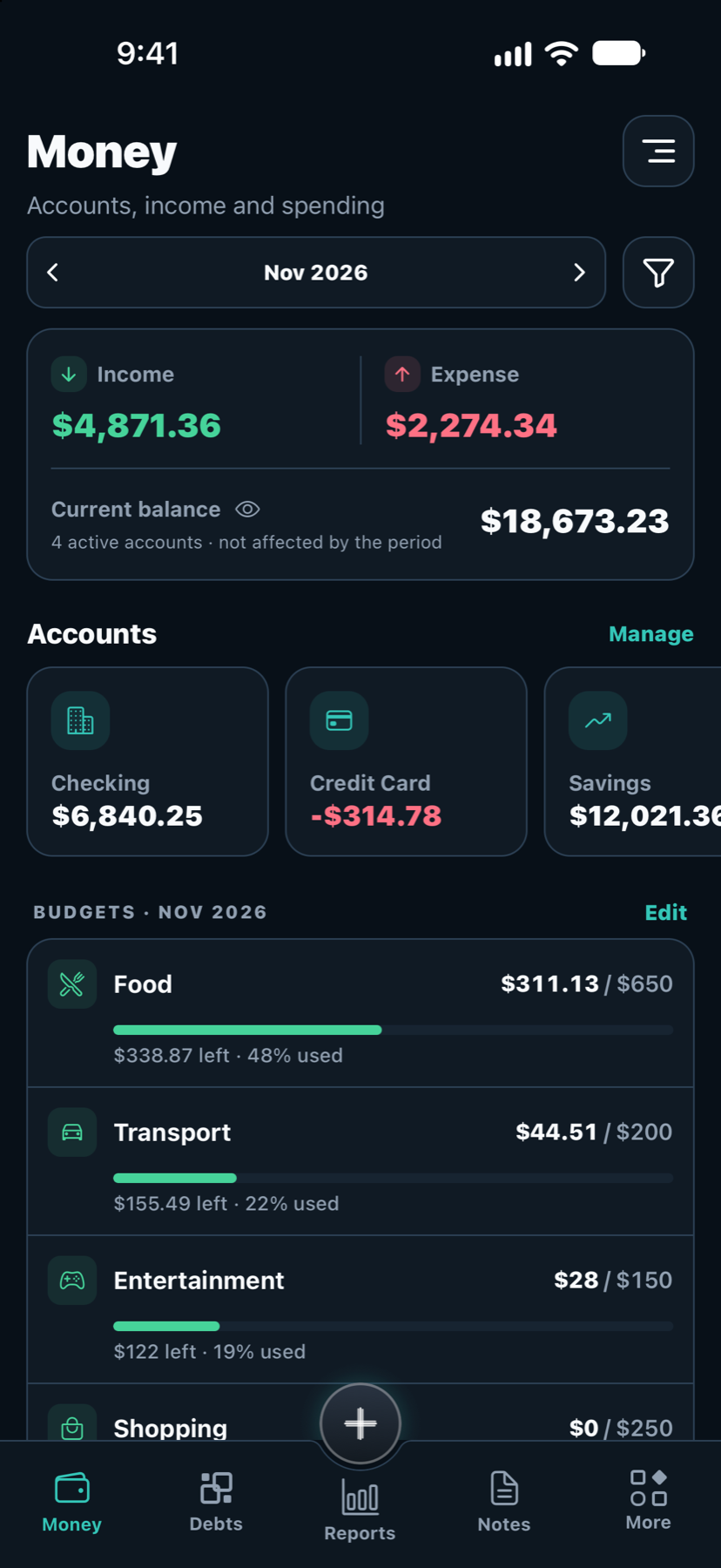
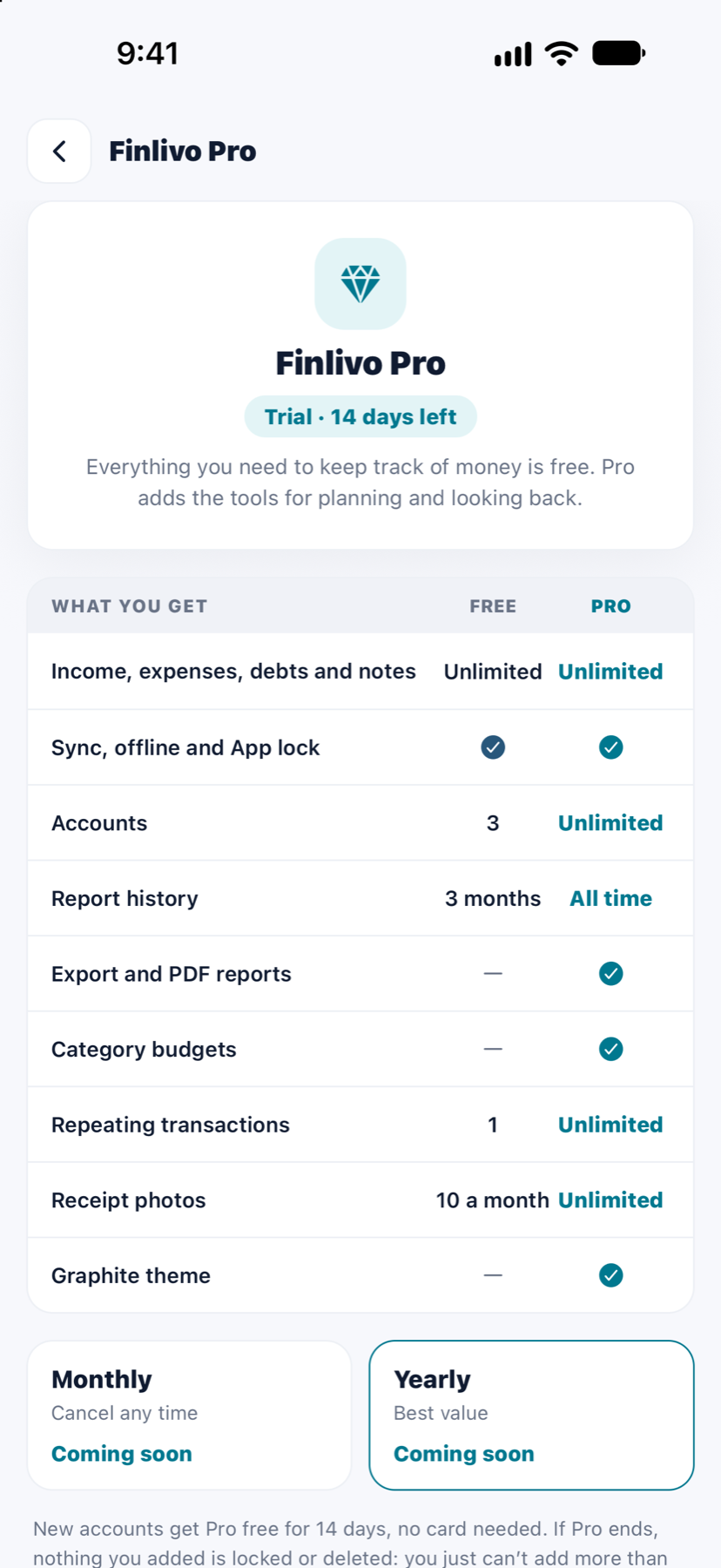
Finlivo Pro
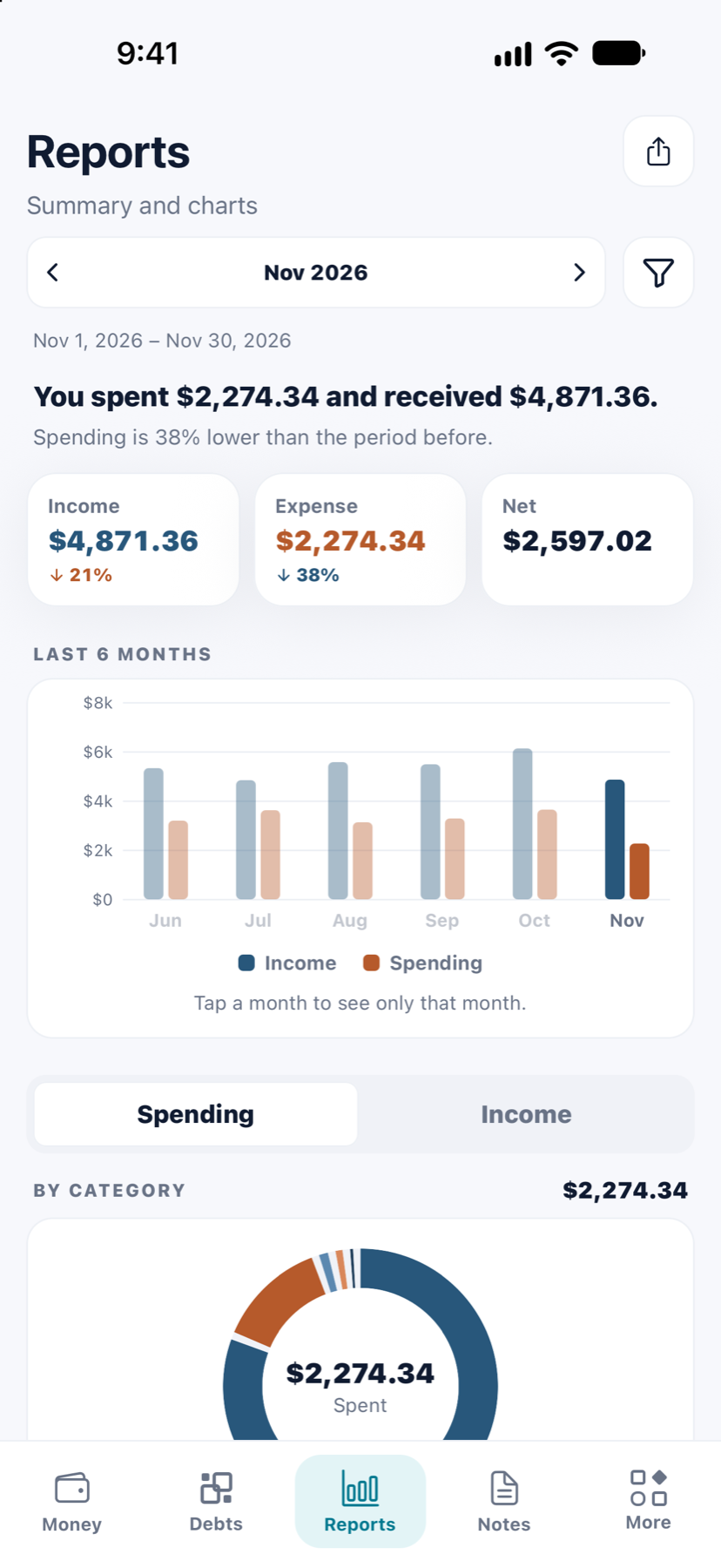
Everything you need to keep track of money is free. Pro adds the tools for planning and looking back.
$0 for good
Unlimited income, expenses, debts and notes, with sync, offline and App lock. 3 accounts and 3 months of reports.
Start freeComing soon
Monthly or yearly, priced for your country in Google Play. New accounts get Pro free for 14 days, no card needed.
If Pro ends, nothing you added is locked or deleted: you just can’t add more than the free plan allows.
FAQ
No. Finlivo Expense keeps records only: it never asks for bank logins or card numbers, never connects to your bank and never moves money. You write down what happened, and it does the sums.
Yes. Everything you add or change is saved on your phone at once and sent in the background. Without a connection it simply waits: a small cloud icon shows how many changes are queued, and it disappears once they’ve synced. A few things need a connection, such as reports and export.
Yes. Sign in with the same account and your money, debts and notes are there on every phone. Each phone keeps its own encrypted copy, so it opens instantly and works offline.
Your money, people and notes are private to you; nobody else can see them. The copy on your phone is encrypted with that phone’s own key, your sign-in sits in the phone’s secure storage, and App lock can ask for your face or fingerprint. No ads, no trackers, and your data is never sold.
Deleted transactions, people and notes go to Trash for 30 days. Restore them from More → Trash, or delete them for good straight away.
Pick your currency in Settings → Language and region. Changing it only changes the symbol; amounts aren’t converted.
Yes. Open the app and try it with sample data, no account needed. If you like it, save your data with an email to keep it.
Pro will come in monthly and yearly plans; prices aren’t set yet and will be shown in Google Play for your country. New accounts get 14 days of Pro free, no card needed.
Nothing you added is locked or deleted. You can see and edit all of it; you just can’t add more than the free plan allows.
It’s on its way. Finlivo Expense comes to Google Play first.
Something else? Get in touch, we answer every message.

Free on Google Play. Try it with sample data first, no account needed.